Dictation Overview takes the form of a table with rows and columns, where details of the dictations are displayed in the columns.
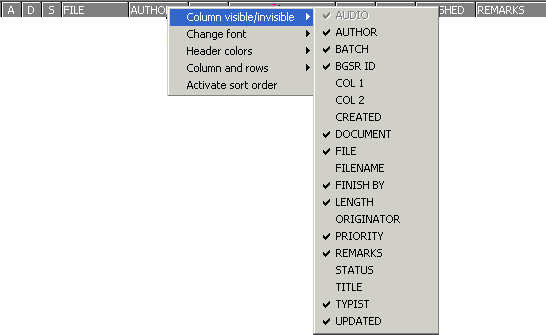
 Generally, not all columns are visible.
To make columns visible right-click on the column heading, choose menu option "Column visible / invisible", and select the relevant column. A check symbol indicates which columns are currently visible. To make columns invisible, remove the check.