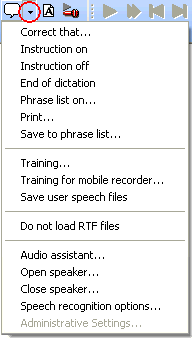
 option "Instruction on"
or clicking on the
option "Instruction on"
or clicking on the  symbol.
This then becomes green,
symbol.
This then becomes green,
 , to indicate that the mode is now active.
When working with Online-Recognition in the Recorder,
the special DictaNet speech commands: "Instruction on"
and "Instruction off" can be used.
This can also be done by
selecting the Recorder command menu
option "Instruction on"
or clicking on the symbol.
This then becomes green,
, to indicate that the mode is now active.
A typical example might be "This is for the case of Smith vs. Parker, I need an extra copy for Mrs. Jones and please check the spelling of Popandroppolis."
Once in Instruction Mode, any spoken text will be first displayed in green. The green color tells the typist that the text is an instruction or some advice, and is not to be typed into the document. When the typist pastes the corrected text from the correction window into the document, the green text is automatically removed. Any spoken instructions in the audio file will remain, however.